How to obtain a Letter of Medical Necessity for FSA/HSA reimbursement for an auto substantiated product.
Last updated: October 27, 2025
If you need a Letter of Medical Necessity (LOMN) for your FSA or HSA reimbursement, here's what you need to know:
When Letters of Medical Necessity are provided
Flex only provides Letters of Medical Necessity for purchases made using the "Flex | Pay with HSA/FSA" payment option at checkout. If you didn't select this option during your purchase, we cannot provide FSA/HSA documentation.
Flex Cannot provide a LOMN for auto substantiated products. FSA's tend to be stricter than HSA's because your employer can set specific rules for their purchases beyond what the IRS allows for HSA's. Therefore If something is HSA/FSA auto substantiated and eligible we cannot provide a letter of medical necessity for them.
Automatic vs. Manual Letters
There are two types of products when it comes to Letters of Medical Necessity:
Auto-substantiated products
Some products are marked by the IRS as auto-substantiated, which means they're always considered eligible and do not require a Letter of Medical Necessity. For these products, you only need to submit the itemized receipt for tax purposes and record keeping.

If your FSA provider is still requesting a letter for auto-substantiated items, you can:
Inform them that the product is auto-substantiated by the IRS
Reference similar products on the FSA store website as proof
Contact your FSA provider directly to clarify their requirements
Flex Cannot provide a letter of medical necessity for auto substantiated products, even if their FSA is requesting the letter.
Products requiring medical consultation
For products that require a Letter of Medical Necessity, you must complete a medical consultation during checkout. This involves selecting a qualifying medical condition from a preset list of IRS-approved conditions.
Finding your Letter of Medical Necessity
If you completed the Flex checkout process and medical consultation:
Check your email inbox and spam folder for emails from Flex
The letter is typically sent within an hour of completing your purchase
Look for an email with the subject "Your Letter of Medical Necessity"

Common issues and solutions
Wrong email address
If you used an incorrect email address during checkout, contact our support team with:
Your correct email address
The email address used during checkout
Your order number
Incomplete medical consultation
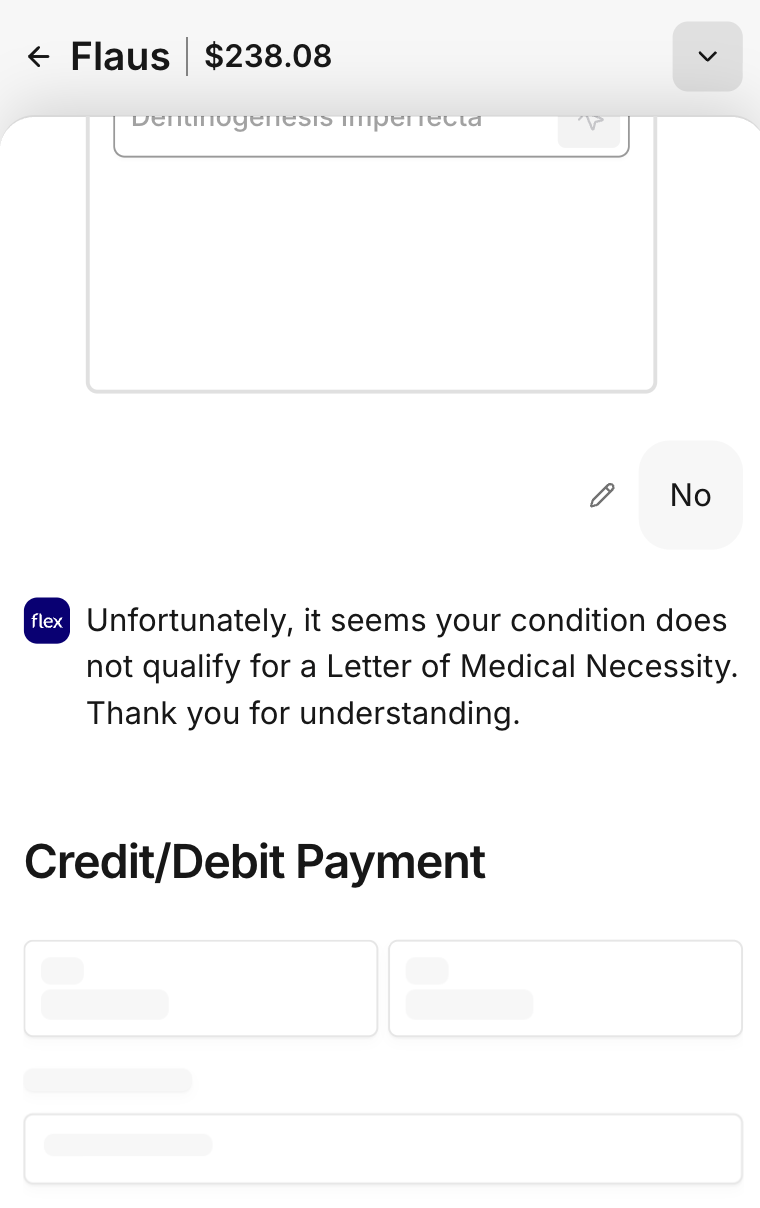
If you didn't select a condition from the preset list during checkout, or if you selected "no" to all conditions, a Letter of Medical Necessity cannot be generated. You may need to complete a new consultation questionnaire.
FSA provider denial
If your FSA provider denies your claim despite having proper documentation:
Call your FSA provider directly rather than submitting electronically
Ask to speak with a supervisor
Highlight the diagnosis and ICD-10 code in your letter
Remember that FSA requirements can be stricter than HSA requirements, as they are employer-sponsored
Getting help
If you need assistance obtaining your Letter of Medical Necessity, contact Flex support with your order information. We can resend documents or help troubleshoot issues with your consultation.
Note: Letters of Medical Necessity are binding documents that cannot be edited per IRS regulations. Make sure to select the appropriate medical condition during your initial consultation.